Custom ERP and CRM software
An ERP keeps your products, stock and paperwork in one place; a CRM keeps your customers and conversations in one place. I build both around the way your business already works, starting with the part that costs your team the most time.
- Built for
- Manufacturers, exporters, traders and service firms
- Covers
- Inventory, catalogues, quotations, invoices, customers
- Runs on
- Any browser, with logins and roles
- Background
- Export merchandising before export software
Updated . Rushan Haque.
01
Why build your own instead of buying one
Large ERP and CRM products are designed for every business at once. Smaller companies end up paying for modules they never open, and still keep spreadsheets for the steps that do not fit.
A custom system contains only what you use, speaks your terms, prints your document formats, and grows one module at a time as the business needs it.
02
What it can cover
Product library
Codes, categories, materials, prices, photos and specifications, searchable in a second.
Catalogues
A selection of products shared as a link or a PDF, with a record of when it was opened.
Quotations and pro forma invoices
Generated from the library in your layout, currency and terms, ready to send.
Customers and enquiries
Every buyer, every conversation and the next follow-up date, so no enquiry goes cold.
Orders and production status
Where each order stands, from confirmation to dispatch, visible to the people who need it.
Activity log
Who changed what, and when, for every product, price and document.
03
Built from inside an export business
Before building software for manufacturers, I worked as a merchandiser at an export manufacturer: product development, production schedules, and coordinating international buyers and vendors. The inventory software I built since covers exactly that work, with one product library, catalogues, quotations and pro formas in a few clicks, and a log of every change.
04
How the switch happens
- 01List what you track and where
Products, prices, customers and documents, and the spreadsheets or tools they live in today.
- 02Import, do not retype
Existing sheets and product data are brought in, cleaned and checked.
- 03Run side by side
For a short period the new system runs next to the old way, until the team trusts it.
- 04Add the next module
Once the first part is in daily use, the next one is planned from what the team actually needs.
Websites I’ve built recently.
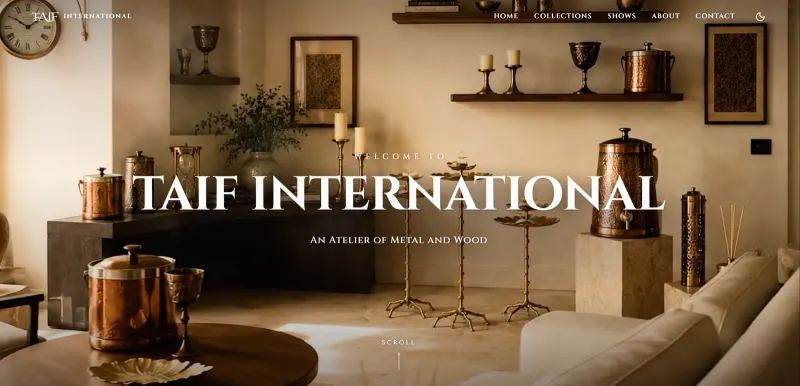 Taif InternationalWebsite for a Moradabad handicraft manufacturer exporting brass, copper and wood to 42 countries.
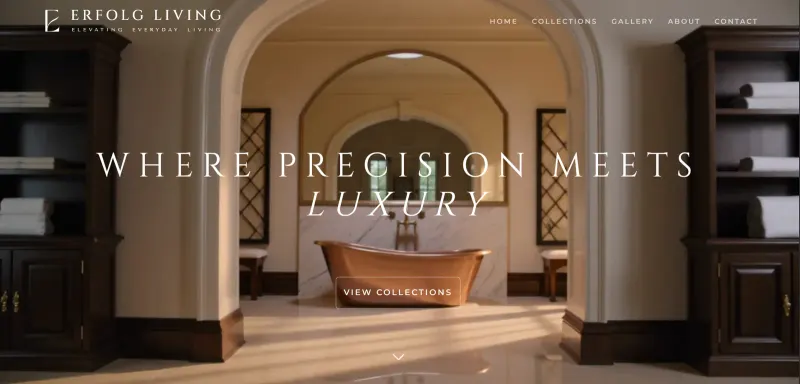 Erfolg LivingWebsite for a maker of handmade luxury metalwork: copper bathtubs, sinks, lighting and furniture.
 AurelioWebsite for Aurelio, the metal and wood atelier of AF International: handcrafted furniture, lighting and decor.
 Casa&CropWebsite for a home-metalware manufacturer exporting from Moradabad to 34 countries.
05
What clients ask
What is the difference between an ERP and a CRM?
An ERP (enterprise resource planning) system manages the inside of the business: products, stock, orders and documents. A CRM (customer relationship management) system manages the outside: customers, enquiries, conversations and follow-ups. A custom build can do both in one place.
Can you import our existing Excel sheets?
Yes. Product lists, price lists and customer lists can be imported, so nobody retypes them.
Can it make quotations and invoices in our format?
Yes. Your layout, logo, terms, currencies and units, generated from the data in the system.
Can our team use it on a phone?
Yes. It runs in the browser and works on phones, tablets and laptops, with each person seeing only what their role allows.
Who owns the system?
You do: the code, the database and the hosting account are in your name.
Got something worth building?
Tell me which spreadsheets your team lives in, and you will get a written plan for the system that replaces them.